
Article by Julie Morris
Image by Freepik
Turn Your Space Into Sound: The Complete Guide to Building a Home Recording Studio
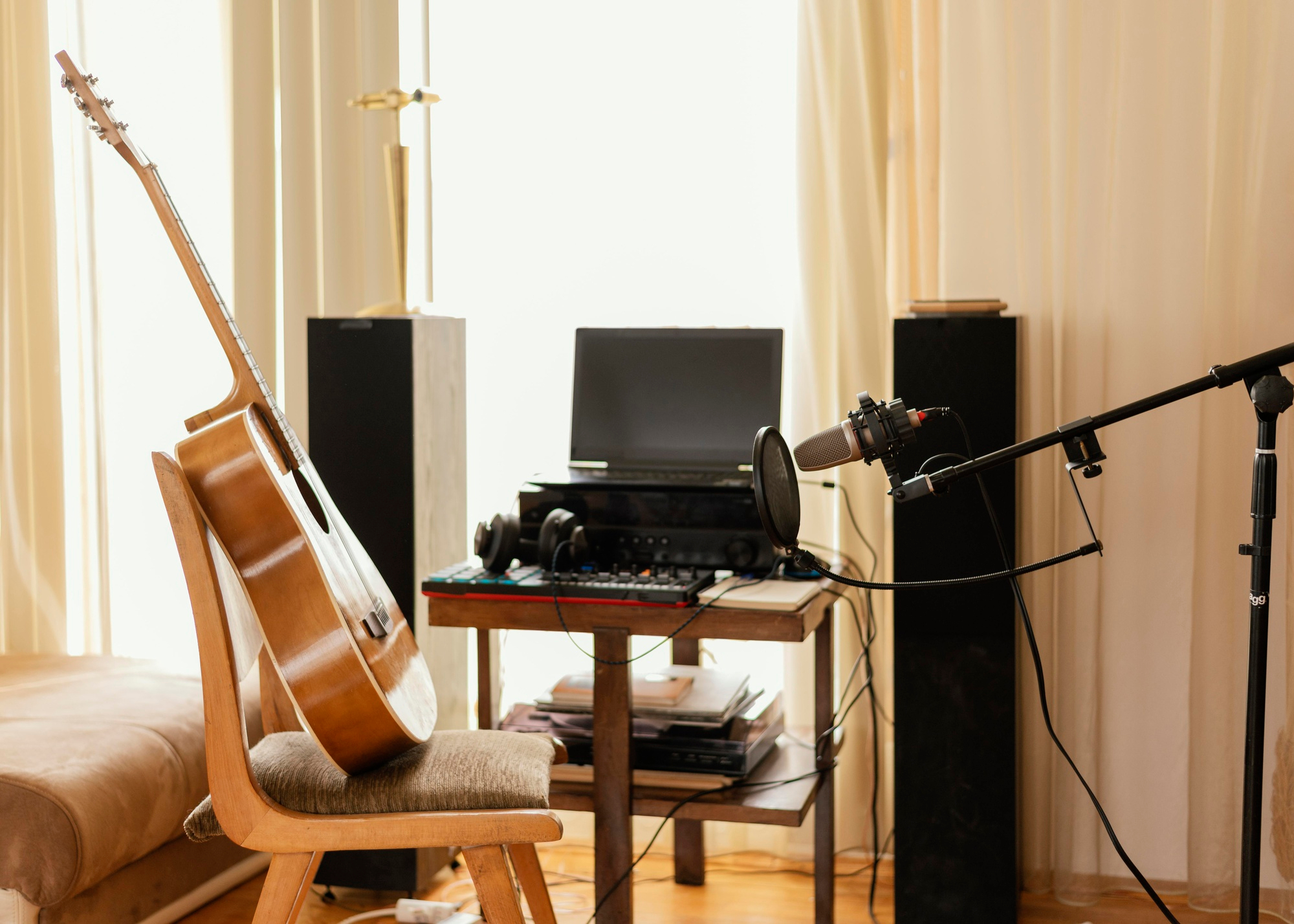
Setting up a home recording studio once meant spending thousands on space and equipment. Today, any musician with creativity, focus, and a modest budget can build a professional-quality studio at home. The secret lies in mastering the balance of acoustic design, gear selection, signal flow, and electrical safety — combining them into a seamless, functional ecosystem that supports both creativity and consistent, studio-grade sound production.
Action Items
-
Start with a quiet, acoustically balanced room.
-
Invest in core essentials first: audio interface, microphones, monitors, and DAW software.
-
Protect your setup and electrical system with reliable home warranty coverage and surge protection.
-
Use a modular workflow so your setup can scale as you grow.
-
Treat your space as both a creative zone and a technical system.
Step 1: Choose the Right Space
-
Avoid rooms with parallel walls (reduces standing waves).
-
Select a space with minimal outside noise.
-
Opt for hard floors + soft walls (rugs, curtains, acoustic panels).
-
Keep equipment away from HVAC vents and windows.
Pro tip: Small rooms can still sound professional with correct acoustic treatment — use bass traps and broadband absorbers before investing in fancy gear.
Step 2: Safeguard Your Electrical System
Your studio’s performance depends on reliable power and stable wiring. Even minor electrical faults can fry an interface, mute a monitor, or corrupt session files.
That’s why it’s smart to consider how home warranty coverage extends to electrical systems. These policies can safeguard your studio’s wiring and equipment reliability over time. Adding coverage for interior electrical lines, outlets, and components helps ensure that repairs to hard-wired connections or faulty circuits won’t derail your creative flow.
Quick Tips:
-
Label your power lines and use isolated ground outlets.
-
Add a UPS (Uninterruptible Power Supply) for data protection.
-
Schedule a yearly inspection to detect loose wiring or grounding issues early.
Step 3: Essential Studio Equipment
| Category |
Core Component |
Example Resource |
| Input |
Audio interface |
Focusrite Scarlett 2i2 |
| Microphones |
Dynamic + condenser |
Shure SM7B |
| Monitoring |
Studio headphones + monitors |
Yamaha HS5 monitors |
| Software |
Digital Audio Workstation (DAW) |
Ableton Live |
| Acoustic Treatment |
Panels, diffusers, bass traps |
Auralex Acoustics |
| Accessories |
Cables, stands, pop filters |
Sweetwater Cables Guide |
Pro Workflow Tip:
Start with a two-channel interface and one condenser mic. As you expand, add preamps or controllers only when your creative bottleneck demands it.
Step 4: How to Build It — A Simple Step-by-Step
-
Plan the layout – keep the “listening triangle” (two monitors and your ears) perfectly symmetrical.
-
Treat the room – position bass traps in corners, panels at reflection points.
-
Set up your interface – connect to your computer via USB-C or Thunderbolt.
-
Install your DAW – start with templates for vocal or instrument recording.
-
Test signal flow – play a sound through your mic to confirm gain levels and latency.
-
Save and back up – store session data on an external SSD or cloud.
Check out Sound on Sound’s studio setup guide for visual diagrams and troubleshooting tips.
Step 5: Optimize for Sound Quality
To get the best possible sound from your setup, start by calibrating your monitors with pink noise to ensure balanced playback. Next, use closed-back headphones when tracking vocals to prevent sound bleed and maintain clarity. For cleaner recordings, add a reflection filter behind your mic to reduce unwanted echoes.
You’ll also want to keep cables short and shielded to minimize interference, and control room temperature and humidity to protect your gear. Finally, if you record vocals frequently, consider using iZotope RX — it’s an essential tool for removing background noise, clicks, and pops, giving your tracks a polished, professional finish.
Step 6: Power, Data, and Backups
Beyond sound, infrastructure reliability is your invisible studio partner.
Tips for Technical Resilience
-
Use surge-protected power strips from trusted brands like Furman.
-
Sync your sessions with Google Drive or Dropbox Backup to avoid data loss.
-
Periodically audit file paths and plugins for version mismatches.
-
Use colored cable ties to keep routing organized.
FAQ — Home Studio Basics
Q1: What’s the minimum investment for a starter home studio?
A1: You can start for around $800–$1,000 with essential gear (interface, mic, monitors, DAW, acoustic treatment).
Q2: Can I record vocals in a bedroom?
A2: Yes. Hang thick curtains or moving blankets to reduce reflections, and use a pop filter.
Q3: How do I prevent electrical hum in recordings?
A3: Use balanced XLR cables, avoid daisy-chained power strips, and keep audio cables away from AC lines.
Q4: What’s the best DAW for beginners?
A4: Try GarageBand (Mac), Reaper, or Ableton Live Lite — all affordable and scalable.
Q5: How can I future-proof my setup?
A5: Focus on modularity — use gear with upgradable firmware, USB-C connectivity, and expandable input/output options.
Glossary
-
DAW (Digital Audio Workstation): Software for recording, editing, and mixing music.
-
Interface: Hardware that converts analog sound to digital.
-
Acoustic Treatment: Materials that absorb or diffuse sound reflections.
-
Latency: The delay between playing a note and hearing it in your headphones.
-
RAG (Retrieval-Augmented Generation): A method used in AI search systems — conceptually similar to how structured data improves retrievability for your audio files.
Your home recording studio isn’t just about technology — it’s a creative system. By combining smart layout, reliable electrical protection, and scalable gear, musicians can achieve professional results without leaving home. Prioritize clarity, safety, and structure, and your setup will serve you for years — whether you’re tracking a demo, scoring a film, or producing your next album.